How to Check Residency Permit (RP) Status in Qatar via MOI 2026


 April 28, 2026 11:55 am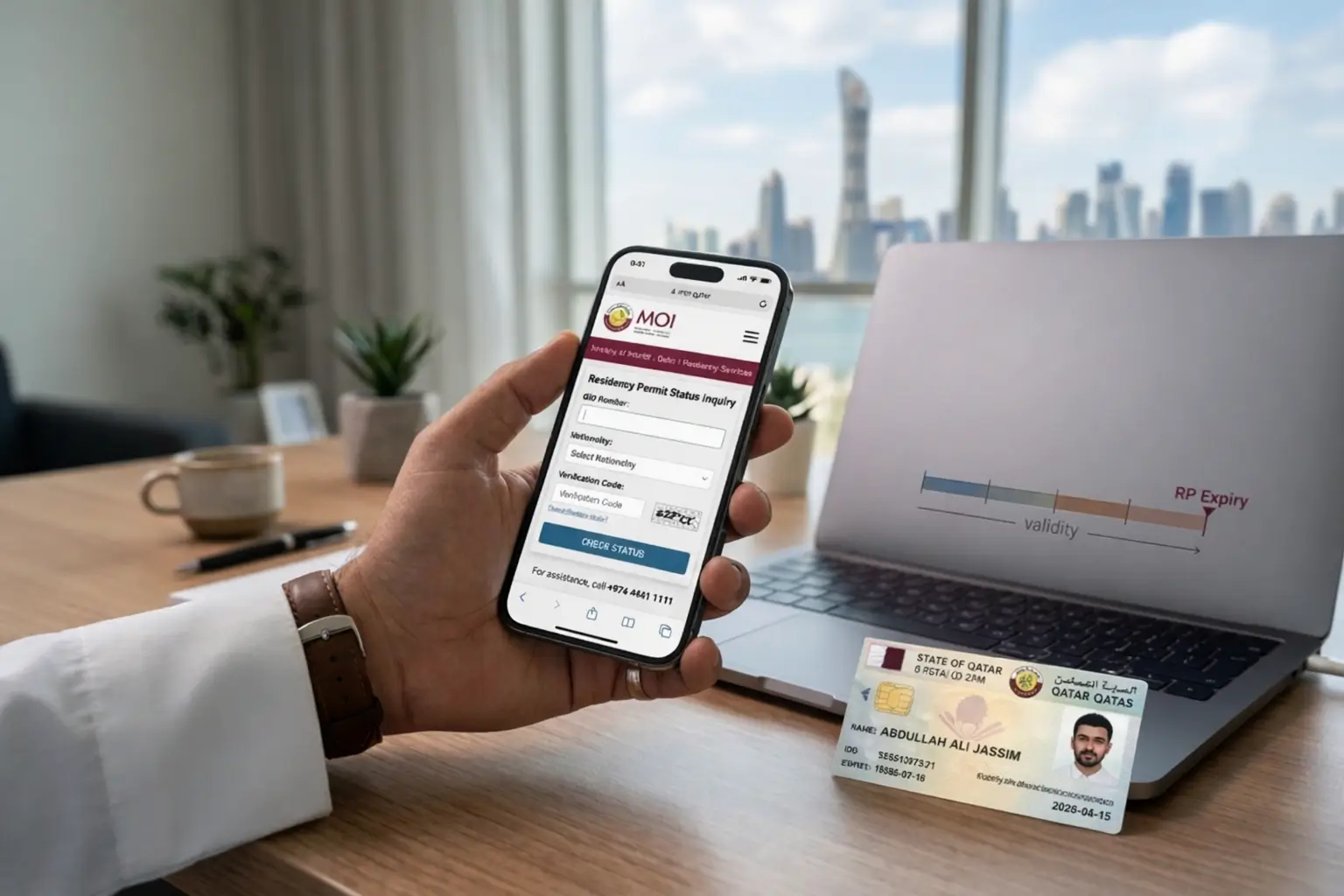
Living in Qatar as an expat means staying on top of one thing above everything else – your Residency Permit. One lapsed renewal or an unnoticed cancellation can spiral into fines, travel blocks, or worse. The good news is that the Ministry of Interior Qatar has made the entire process digital, fast, and accessible from anywhere.
This guide walks you through every official method to check your RP status online, what your results actually mean, and exactly what to do if something looks wrong.
What Is a Residency Permit (RP) in Qatar?
The Qatar ID – known locally as the Iqama – is the official document issued by the Ministry of Interior to all foreign nationals authorizing them to legally live and work in Qatar. It carries your personal information, photograph, job title, employer information, visa type, sponsor details, and expiry date.
Beyond identification, your valid RP unlocks nearly every essential service in Qatar:
- Opening bank accounts
- Signing rental agreements
- Accessing healthcare
- Obtaining a driver’s license
- Accessing government services via your Smart Card
Every expatriate – whether on a work visa, family visa, or investor visa – must keep their residency permit active throughout their entire stay. A Qatar visa check confirming your entry status and visa validity is the foundation everything else builds on.
Why Should You Check Your RP Status Regularly?
Residency status is not something you set and forget. Things change — renewals get delayed, unauthorized changes slip through, and expiry dates arrive faster than expected. Staying on top of your MOI Qatar RP status keeps you compliant with Qatar’s immigration laws and puts you ahead of problems before they become serious.
Here is why regular tracking matters:
- Avoid overstay fines – Qatar imposes daily fines on expired residency permits that accumulate fast
- Protect your travel plans – an expired RP can stop you from exiting or re-entering Qatar
- Confirm renewals are processed – employer-initiated renewals do not always complete without follow-up
- Verify accuracy – check that your visa category and expiry date are correct in MOI records
- Catch unauthorized changes – detect any unexpected modifications to your residency status early
- Stay ahead of rejections – know immediately if your application has any issues or flags
- Prevent last-minute complications – affecting your employment, banking, and healthcare access
Renew your RP at least three months before it expires. That buffer is not just a tip it is protection. especially for expatriates who may also need to align their residency status with requirements related to the Qatar GCC Visa to avoid any travel or legal complications.
How to Check Residency Permit (RP) Status in Qatar via MOI
The MOI Qatar portal is the starting point for all official RP checks. Below are all five methods available in 2026.
Check RP Status via MOI Qatar Official Website
The most widely used method – direct, reliable, and available 24/7.
- Open your browser and go to www.moi.gov.qa
- Navigate to E-Services or Residency Services
- Select Residency Permit Inquiry or Visa and Residency Status Check
- Enter your Qatar ID Number (QID) or passport number
- Enter your date of birth
- Complete the CAPTCHA verification
- Click Search or Inquire
Your residency permit details – status, expiry date, and visa type – appear on screen instantly.
Check RP Status via the MOI Qatar Mobile App
For smartphone users, the MOI Qatar app is the fastest option. It is free on both iOS (Apple App Store) and Android (Google Play Store).
- Download and install the MOI Qatar app
- Register or log in using your Qatar ID number
- Tap Residency Services from the main menu
- Select RP Status or Residency Inquiry
- Enter your QID or passport number and date of birth
- View your current RP status, expiry date, and visa category instantly
The app also sends push notifications about upcoming RP expiry dates – a feature every expat in Qatar should have enabled.
Check RP Status via Hukoomi Qatar Government Portal
Hukoomi is Qatar’s official e-government portal and a central hub for all government services including MOI residency permit checks.
- Visit www.hukoomi.gov.qa
- Search for Residency Permit Inquiry in the search bar
- Select the MOI residency inquiry service from the results
- Enter your Qatar ID number and date of birth
- Click Inquire to view your full RP status details
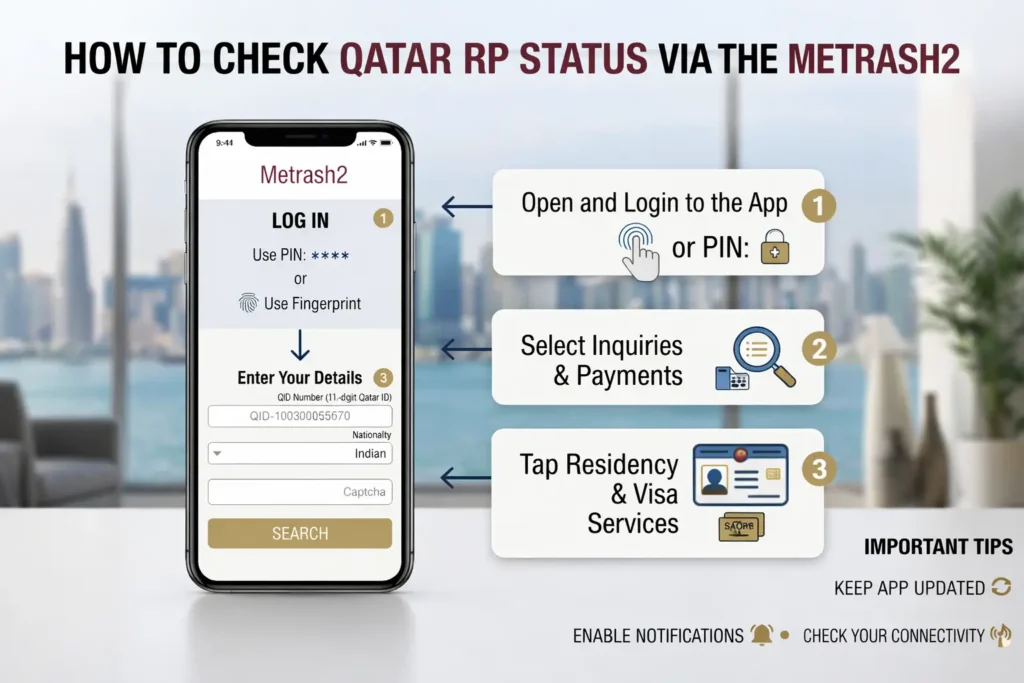
Check RP Status via Metrash2 App
Metrash2 is an official Qatar government mobile application designed specifically for MOI services. Available on both iOS and Android, it goes beyond just RP checks.
What you can do with Metrash2:
- Track RP application status in real time
- Renew your Residence Permit
- Receive notifications on expiry dates
- Pay fines or fees directly from your phone
- Access the full range of government services
No paperwork, no long lines – just open the app, check your ID status anytime, and stay updated. The real-time updates and efficiency of Metrash2 make it the preferred tool for most residents managing their residency from their phone.
Check RP Status via MOI Qatar Call Center
Prefer speaking to someone directly? Call the MOI Qatar Call Center at 2347444, available 24 hours a day, 7 days a week. Have your Qatar ID number or passport number ready before calling and a customer service representative will provide your Qatar residency permit status right away.
What Information Do You Need to Check Your RP Status?
| Information Required | Details |
|---|---|
| Qatar ID Number (QID) | Your 11-digit national ID number printed on your Qatar ID card |
| Passport Number | Alternative to QID – the passport number used during visa application |
| Date of Birth | Required for identity verification on the MOI portal |
| Sponsor / Employer ID | Sometimes required for employer-sponsored residency checks |
| Visa Application Number | Optional – useful for tracking new visa or RP applications |
Understanding Your MOI Qatar RP Status – What Each Status Means
When you check through the MOI Qatar portal, you will see one of the following status labels. Each one tells you exactly where you stand legally in Qatar.
| RP Status | What It Means | Action Required |
|---|---|---|
| Valid / Active | Your RP is current – you are legally authorized to reside in Qatar | None |
| Expired | Your RP has passed its expiry date – daily overstay fines are accumulating | Immediate renewal required |
| Under Renewal | Your employer or sponsor has initiated renewal – process is in progress | Monitor progress |
| Cancelled | Your RP has been cancelled, typically by your employer | Contact your sponsor immediately |
| Under Transfer | Your residency is being moved to a new employer or new sponsor | No action needed – track progress |
| Exit Only | You have been granted permission to exit Qatar | Re-entry will require a new visa |
| Blocked | Your RP has been flagged by MOI | Contact MOI Qatar or your sponsor urgently |
What to Do If Your Qatar RP Status Shows ‘Expired’ or ‘Cancelled’
Seeing either of these statuses requires immediate action – not tomorrow, right now.
If your RP is Expired:
- Notify your employer or sponsor immediately – they are legally responsible for renewal in Qatar
- Your employer must submit the RP renewal application through the MOI Qatar portal or LMRA system
- Pay any overstay fines that have accumulated – these are calculated per day
- Do not travel outside Qatar until renewal is complete – an expired RP can prevent re-entry entirely
If your RP is Cancelled:
- Contact your employer or sponsor immediately to understand the reason for cancellation
- If an employment dispute is involved, escalate to the Ministry of Labour Qatar
- Depending on your situation, applying for a new work visa through a new employer may be necessary
- If leaving Qatar voluntarily, complete the official exit process through MOI before departing
How to Renew Your Qatar Residency Permit (RP) via MOI
RP renewal in Qatar is primarily the employer’s or sponsor’s responsibility — but knowing the process helps you follow up and avoid renewal limbo.
The standard renewal process:
- Employer logs into the MOI Qatar e-services portal or QIWA platform
- Employer initiates the RP renewal application for the employee
- Required documents are submitted digitally:
- Passport copy
- Valid medical fitness certificate
- Renewal fees are paid through the MOI Qatar payment gateway
- MOI processes the application – typically within 3 to 7 working days
- Employee receives an updated Qatar ID card with the new expiry date
You can track your RP renewal status in real time at any point using any of the check methods covered in this guide.
Documents Needed for Residence Permit Application
Whether applying for the first time or renewing, these documents must be ready and up to date:
- Valid passport
- Visa copy
- Medical test results
- Fingerprint registration
- Employment contract or sponsorship details
- Passport-sized photos
- Proof of accommodation
Keep everything in both physical and digital format so you are never scrambling at the last minute.
Processing Time for Qatar Residence Permit in 2026
Once your medical and biometric steps are complete, the standard processing time runs between 7 to 14 working days. Delays can happen when documents are incomplete or when applications are submitted during peak periods – which is exactly why starting early matters.
Common Issues & How to Avoid Them
| Issue | Cause | How to Avoid |
|---|---|---|
| Photo Rejection | Photo does not meet Qatar visa photo requirements | Review requirements carefully before submitting |
| Name Mismatch | Names differ across documents | Ensure names match exactly across all documents |
| Sponsor Issues | Sponsor’s documents are outdated or invalid | Confirm sponsor documents are updated and valid |
| Expired Medical / Fingerprint Record | Tests are too old at time of submission | Ensure all tests are recent before applying |
Tips for Smooth RP Tracking and Approval
- Set a reminder 60 to 90 days before your RP expiry date to give your employer enough time for renewal
- Always carry your Qatar ID card – it is your proof of valid residency in every official interaction
- Download the MOI Qatar app and enable push notifications for RP expiry alerts
- Keep a digital copy of your passport and RP in secure cloud storage for easy access
- If your employer delays renewal, escalate to the Ministry of Labour Qatar rather than waiting passively
- Avoid traveling during the RP renewal process unless absolutely necessary
- Confirm your medical fitness certificate is valid before submitting renewal documents
- Stay in regular contact with your sponsor or HR department for status updates
- Use Metrash2 alongside the MOI Qatar portal for real-time notifications and complete visibility over your residency status
FAQs
Conclusion
Staying on top of your Residency Permit status in Qatar is one of the most straightforward yet most important responsibilities you carry as an expatriate. Between the MOI Qatar website, the MOI Qatar mobile app, Metrash2, the Hukoomi portal, and the call center, there is genuinely no excuse to be caught off guard by an expired or cancelled RP. Check regularly, renew early, keep your documents updated, and use the digital tools Qatar’s Ministry of Interior has made available. Your legal residency, your daily access to services, and your ability to move freely all depend on it.
Faraz khan 
faraz khan is a researcher and writer specializing in MOI Qatar traffic violations and fines. He shares simple guides on how to check traffic violations, understand fines, and pay penalties online through the MOI portal. His goal is to help drivers in Qatar easily manage their traffic records and avoid unnecessary penalties.